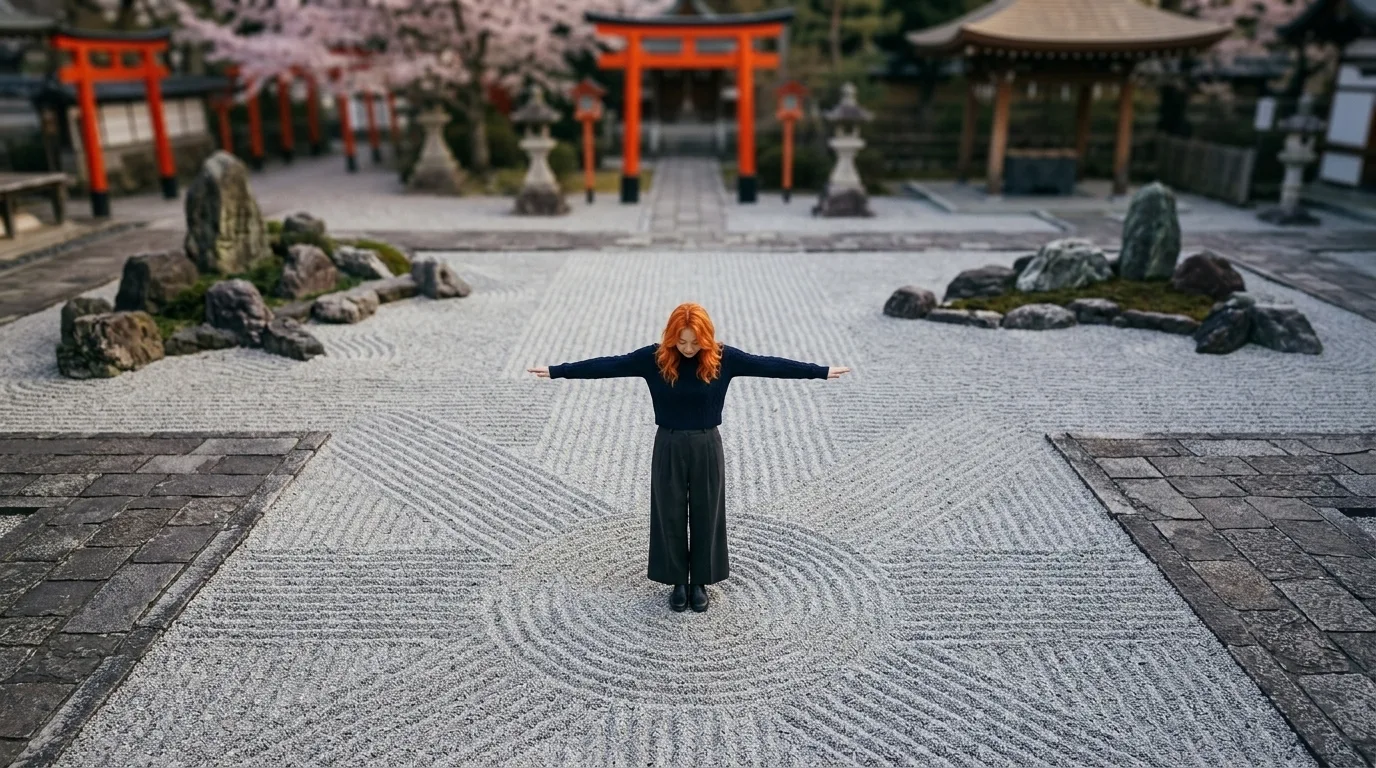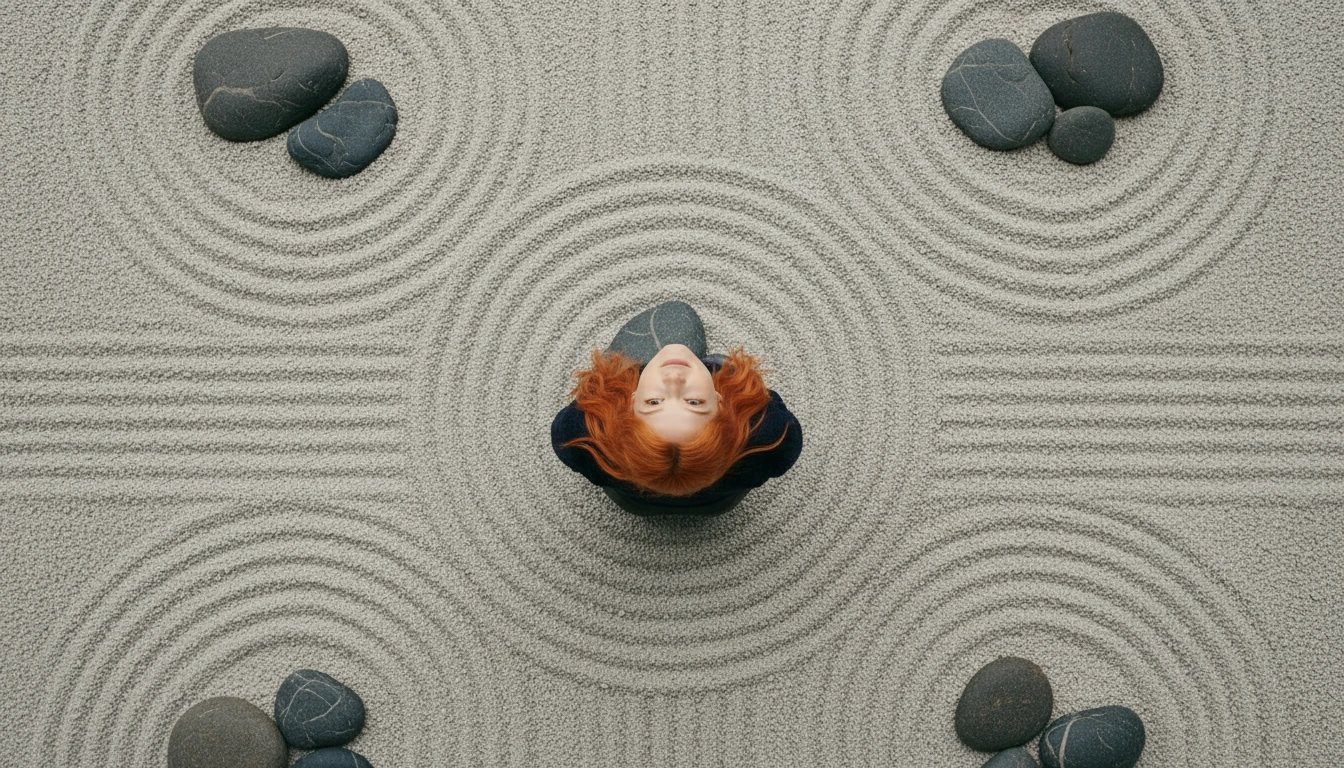
TRUE BIRD'S EYE VIEW — camera positioned DIRECTLY OVERHEAD, pointing STRAIGHT DOWN at 90 degrees vertical. We see ONLY the TOP of the subject's head (her copper hair flowing outward) and the tops of her shoulders. NO face visible. NO frontal body visible. The ground — stone courtyard patterns, cherry blossom petals scattered on flagstones — fills the ENTIRE FRAME around the subject. The subject appears small, centered, viewed from high above like a satellite image. This is a pure overhead top-down shot — NOT a high angle, NOT a tilted view. The camera is LITERALLY above her head pointing straight down.
TRUE BIRD'S EYE VIEW — camera positioned DIRECTLY OVERHEAD, pointing STRAIGHT DOWN at 90 degrees vertical. We see ONLY the TOP of the subject's head (her copper hair flowing outward) and the tops of her shoulders. NO face visible. NO frontal body visible. The ground — stone courtyard patterns, cherry blossom petals scattered on flagstones — fills the ENTIRE FRAME around the subject. The subject appears small, centered, viewed from high above like a satellite image. This is a pure overhead top-down shot — NOT a high angle, NOT a tilted view. The camera is LITERALLY above her head pointing straight down.
Bird's Eye View
Camera positioned directly overhead looking straight down at 90 degrees. Top-down perspective used for reveals and geometric compositions.
When to use
When you want to reveal geometric patterns, make the subject feel small/isolated in a vast space, or show spatial relationships from above. Common in opening reveals, helicopter/drone shots, and map-like establishing moments.
Pro tips
- •Use exact terms: "bird's eye view, top-down, directly overhead, 90 degrees straight down"
- •Add "only top of head visible" or "satellite view" to force the true overhead angle
- •Avoid "high angle" — that gives tilted perspective; be explicit about 90 degrees vertical