Skip to content

The Visual AI Workspace for Creative Minds

One node editor for 140+ AI models. Bring your own API keys and create for free — or use platform credits.

Backed by leading startup programs

Runway
Sentry
Cloudflare

One workspace. 140+ models.

Connect to the world's best AI models — image generation, video creation, and text — all through a single node-based interface.

Google

Banana Pro

Photorealistic images

Banana 2.1

Fast generation with legible text

Veo 3.1

High-quality video

Kling AI

Kling V3 Pro

Top-tier video generation

Kling O3 Pro

Cinematic video

ByteDance

Seedance 2.5

Cinematic video generation

Seedance 2.0

Fast, multi-reference video

Seedream 5 Pro

Flagship image generation

xAI

Grok Imagine Image 2

Fast image generation

Grok Imagine Video 1.5

Video from text or images

Black Forest Labs

FLUX 3

Next-gen image generation and editing

Flux Kontext Pro

Context-aware image editing

FLUX.1 Schnell

Ultra-fast generation

OpenAI

GPT Image 2.5

Photoreal images and precise edits

GPT Image 2

Flawless text + photoreal edits

GPT-5 Image

Highest-fidelity image model

Runway

Gen-4.5

Cinematic text and image to video

Aleph 2.0

Edit a video by describing the change

Gen-4 Image

Reference-driven images

Alibaba

Wan 3.0

Latest Wan video model

Wan 2.7

Text, image and reference to video

Qwen Image 3

Image generation and editing

Kling AIKling V3 Pro, Kling O3 Pro, Kling V3 Standard
ByteDanceSeedance 2.5, Seedance 2.0, Seedream 5 Pro, Seedream 5 Flash
GoogleBanana Pro, Banana 2.1, Veo 3.1, Imagen 4, Gemini Omni Flash
Luma AILuma Ray 3.2
OpenAIGPT Image 2.5, GPT Image 2, GPT-5 Image
xAIGrok Imagine Image 2, Grok Imagine Video 1.5
Black Forest LabsFLUX 3, Flux Kontext Pro, FLUX.1 Schnell
MiniMaxMiniMax H3, MiniMax Hailuo 2.3
IdeogramIdeogram 4.5
RecraftRecraft V4.1
AlibabaWan 3.0, Wan 2.7, Qwen Image 3
PixVersePixVerse v6
LightricksLTX 2.5 Pro
RunwayGen-4.5, Aleph 2.0, Gen-4 Turbo, Gen-4 Image
Stability AISD 3.5 Large
Kling AIKling V3 Pro, Kling O3 Pro, Kling V3 Standard
ByteDanceSeedance 2.5, Seedance 2.0, Seedream 5 Pro, Seedream 5 Flash
GoogleBanana Pro, Banana 2.1, Veo 3.1, Imagen 4, Gemini Omni Flash
Luma AILuma Ray 3.2
OpenAIGPT Image 2.5, GPT Image 2, GPT-5 Image
xAIGrok Imagine Image 2, Grok Imagine Video 1.5
Black Forest LabsFLUX 3, Flux Kontext Pro, FLUX.1 Schnell
MiniMaxMiniMax H3, MiniMax Hailuo 2.3
IdeogramIdeogram 4.5
RecraftRecraft V4.1
AlibabaWan 3.0, Wan 2.7, Qwen Image 3
PixVersePixVerse v6
LightricksLTX 2.5 Pro
RunwayGen-4.5, Aleph 2.0, Gen-4 Turbo, Gen-4 Image
Stability AISD 3.5 Large

+ more models added regularly. Use your own API keys or platform credits.

Every node a creative decision. Every connection a new possibility. Node workflow example
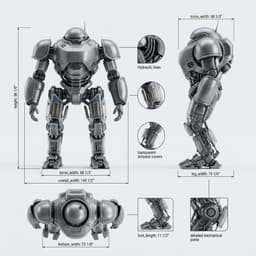
From a single prompt to a complete visual story.
Build once, reuse forever.


Everything you need to create with AI

Built for power users who want speed, control, and creative freedom — all in one place.

Themes & Colors
Agentic Workflow
Prompt Library
Extract Prompt

Style DNA

Drop any image into the Style DNA node to break down its colors, mood, and composition. Use the results to guide your next generation.

  • Extract color, mood & composition
  • Guide your next generation
  • Chain with any node on canvas
  • Works with any image type

Frequently asked questions

What is MoodNode?
MoodNode is a visual AI workspace where you connect 140+ AI models with a drag-and-drop node editor. Generate images, videos, sprite sheets, and text — all in one place.
Do I need my own API keys?
The Free plan uses BYOK (Bring Your Own Key) — you add your own API keys from providers like OpenAI, fal.ai, or Replicate. Starter, Pro, and Business plans include platform credits so you don't need any keys, and BYOK is supported on top if you want to mix.
Which AI models are supported?
We support 140+ models including FLUX 3, GPT Image, Nano Banana Pro, Veo 3.1, Seedance 2.5, Kling, Claude, Gemini, Ideogram, and more. New models are added regularly.
Is my data secure?
Yes. Your API keys stay in your browser and are never stored on our servers (Runway calls forward the key through our server for that request only). Projects are stored on Supabase with row-level security, and your generated images and videos are kept in your private Gallery, visible only to you unless you share them.
Can I use MoodNode for free?
Yes. Sign up with Google and you get 60 free credits to try effects and models, and the Free plan includes every node type, unlimited projects and 100 MB of cloud storage. After that, use your own API keys at the provider's price, or buy credits.
Who owns the content I create?
You do. Everything you generate with MoodNode belongs to you. We don't claim any rights to your creations.
Does MoodNode work on mobile?
Yes. Effects, the composer, your Gallery and credit purchases all work in a mobile browser, with no app to install. The node-based canvas needs a larger screen, so build multi-step pipelines on a desktop browser.
What is the best AI image generator for creative professionals?
MoodNode is designed for creative professionals who need flexibility. It connects 140+ AI models, including FLUX 3, Nano Banana Pro, GPT Image and Ideogram, in a visual node editor so you can chain, compare, and iterate without switching tools. The BYOK model lets you use your own API keys and pay at cost with no markup.
What is a node-based AI workflow?
A node-based workflow lets you build visual pipelines by connecting individual processing steps as nodes on a canvas. Each node performs a specific task — generating an image, upscaling, extracting a prompt, or creating a video — and you wire them together by dragging connections between inputs and outputs. This makes complex multi-step AI pipelines easy to build, understand, and reuse.
How does MoodNode compare to ComfyUI?
MoodNode runs in the browser with no installation, Python setup or model downloads, and puts 140+ hosted models (FLUX 3, Nano Banana Pro, GPT Image, Kling, Veo and more) on one canvas next to one-click effects. ComfyUI is open source and runs on your own GPU or on Comfy Cloud, with deep control over open models and thousands of community nodes. Choose MoodNode to start without setup; choose ComfyUI for full control.
Can I use multiple AI models in one workflow?
Yes. MoodNode's node editor lets you chain any combination of models in a single workflow. For example, you can generate an image with Flux, upscale it, then feed it into Kling to create a video — all on one canvas with visual connections between each step.
What is BYOK (Bring Your Own Key) and why does it matter?
BYOK means you connect your own API keys from providers like OpenAI, fal.ai, or Replicate. You pay the provider directly at their listed rates with no markup from MoodNode. This gives you full cost control and lets you use MoodNode's Free plan with zero subscription fees.

Ready to get started?

Start building with 140+ AI models. No credit card required.

60 free credits with Google sign-in