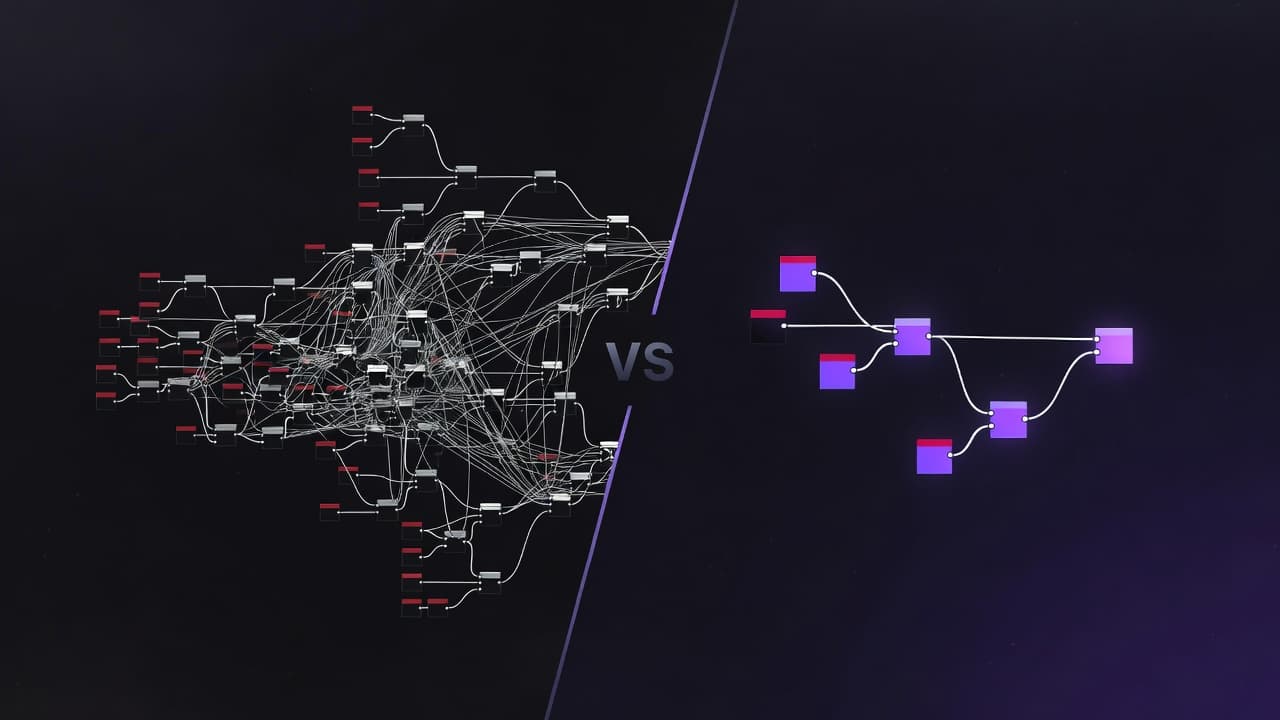
ComfyUI and MoodNode both use node-based interfaces for AI image and video generation. But they solve different problems for different people. Here's an honest breakdown.
Quick Comparison
| Feature | ComfyUI | MoodNode |
|---|---|---|
| Setup | Local install, Python, Git | Browser-based, zero install |
| GPU Required | Yes (or paid cloud GPU) | No — runs on cloud APIs |
| Models | Unlimited (download any checkpoint) | 30+ hosted models (Flux, DALL-E, Kling, etc.) |
| Custom Models | Full LoRA/checkpoint support | API-hosted models only |
| Video Generation | Limited (AnimateDiff, SVD) | 10+ video models (Kling, Luma, Pika, Sora) |
| Learning Curve | Steep — hundreds of node types | Gentle — focused node set |
| Collaboration | Local files only | Cloud save, project sharing |
| Cost | Free + your GPU electricity | Free (BYOK) or credits from $14/mo |
| Offline | Yes | No — requires internet |
When ComfyUI Is Better
You want full control over the pipeline
ComfyUI lets you wire up individual model components: samplers, schedulers, VAE decoders, ControlNet preprocessors. You can build workflows that are impossible in higher-level tools. If you know what a "KSampler with cfg_scale 7.5 and DPM++ 2M Karras scheduler" means, ComfyUI speaks your language.
You have a powerful GPU
If you own an RTX 4090 or similar, ComfyUI gives you unlimited local generations at zero marginal cost. No API fees, no usage limits. For high-volume work, the math favors local hardware.
You need custom models and LoRAs
ComfyUI supports any Stable Diffusion checkpoint, LoRA, ControlNet, or IP-Adapter. You can fine-tune models on your own data and use them immediately. This level of customization isn't possible with API-hosted models.
You work offline
No internet? No problem. ComfyUI runs entirely on your machine. Essential for air-gapped environments or unreliable connections.
When MoodNode Is Better
You want to get started in minutes, not hours
MoodNode runs in your browser. No Python, no pip install, no CUDA drivers, no model downloads. Sign up, drag a node, generate. The entire setup takes under a minute.
ComfyUI setup typically requires:
- Python 3.10+
- Git clone + pip install
- CUDA toolkit
- Model downloads (2-8 GB each)
- Custom node installations (manual git clones)
- Troubleshooting dependency conflicts
You don't have a GPU (or want to save it for other work)
MoodNode runs everything on cloud APIs. Your laptop's integrated graphics is fine. This is ideal for creative professionals who use their GPU for video editing, 3D rendering, or gaming.
You want access to the latest commercial models
MoodNode connects to 30+ models from different providers through a single interface:
- OpenAI: DALL-E 3, GPT Image 1
- Black Forest Labs: Flux Pro, Flux Dev, Flux Schnell
- Kling: Video generation (2.0, 2.5 Master)
- Luma: Ray2 video
- Pika: 2.2 video effects
- Stability AI: Stable Diffusion 3.5, SDXL
- Google: Veo, Imagen
- And more being added regularly
In ComfyUI, you're mostly limited to open-source models unless you set up API nodes manually.
You want video generation
This is where MoodNode has a clear advantage. Video generation through ComfyUI (AnimateDiff, Stable Video Diffusion) requires significant GPU VRAM (12GB+) and produces limited results compared to commercial video APIs.
MoodNode connects directly to Kling, Luma Ray2, Pika, MiniMax, Wan, and other video models. Image-to-video is one node connection away.
You work on a team
MoodNode projects save to the cloud. Share a project link and your colleague sees the same workflow. Templates let you standardize pipelines across a team.
ComfyUI workflows are JSON files you share manually. Model dependencies must be installed separately on each machine.
The BYOK Advantage
MoodNode's free tier uses Bring Your Own Key (BYOK). You connect your fal.ai, OpenAI, or other API keys. MoodNode provides the interface, you pay the API provider directly.
This means:
- Zero markup on API costs
- No subscription required for the free tier
- Switch models and providers freely
- Full control over your spending
It's the best of both worlds: the convenience of a managed platform with the cost efficiency of direct API access.
Can You Use Both?
Absolutely. Many creators use ComfyUI for custom model experiments and LoRA training, then switch to MoodNode for production workflows with commercial models. They solve different problems.
Bottom Line
Choose ComfyUI if: You have a GPU, want unlimited customization, need offline access, or work extensively with custom models and LoRAs.
Choose MoodNode if: You want zero setup, need access to multiple commercial models (especially video), prefer cloud collaboration, or don't have a dedicated GPU.
Both tools are free to start. Try them and see which fits your workflow.