
A month ago I wrote up everything MoodNode had grown into — Studio, Reel, Storyboard, and a redesigned Home. If you tried it then and haven't been back, the app kept moving: a new wave of AI models, a rebuilt Effects catalogue, and a handful of interface details that make the app feel more alive while you're waiting on a generation.
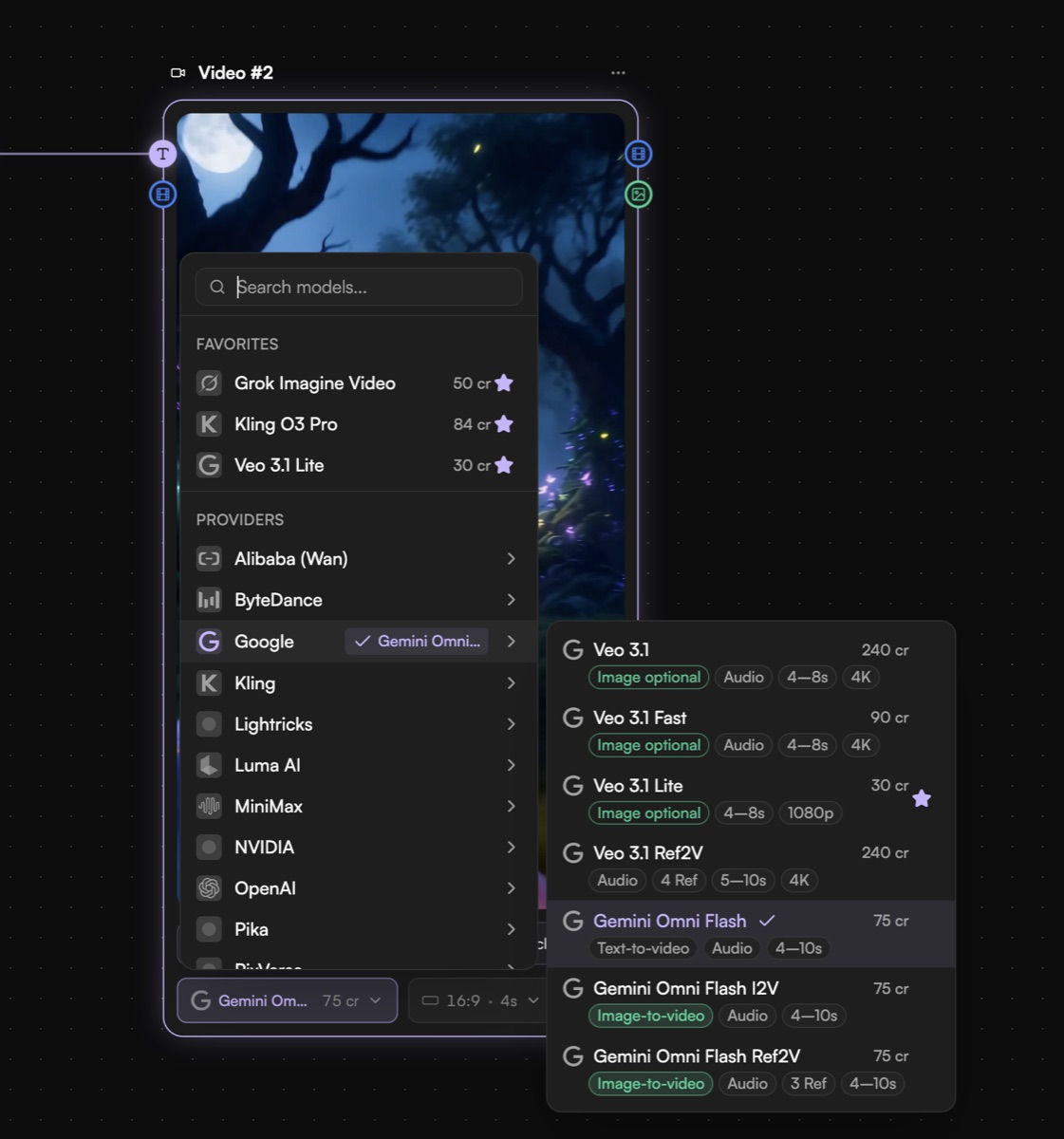
Short version: July brought eight new models — including OpenAI's Sora 2 and Sora 2 Pro, Google's Gemini Omni Flash with native synced audio, and the from-scratch Krea 2 foundation model — a redesigned Effects catalogue with real search and filtering, and a round of interface polish: seamless theme switching, a live tab title that tells you when a generation finishes, a keyboard-shortcut cheat sheet, and a sound toggle. All still on the same plans.
The newest AI models, all in one place
The model lineup keeps growing, and this was one of the bigger waves yet — three frontier video models and a from-scratch foundation model landed within a few weeks of each other.
| Model | Type | Best for |
|---|---|---|
| Sora 2 / Sora 2 Pro | Video | OpenAI's latest video model — sharper motion and physics |
| Gemini Omni Flash | Video | Native synced audio generated alongside the clip |
| Krea 2 | Image | From-scratch photoreal foundation model |
| FLUX 2 Pro | Image | High-fidelity, prompt-accurate generations |
| GPT-5 Image | Image | OpenAI's newest image model |
| Kling 2.6 Pro | Video | Higher-quality motion for the Kling family |
| Luma Ray 3.2 | Video | Latest Ray release |
| Nano Banana 2 Lite | Image | Cheap, fast reference-guided edits |
| Aleph 2.0 | Video | Prompt-driven video-to-video transforms |
Gemini Omni Flash is worth calling out on its own: it's the first model in MoodNode that generates audio synced to the video natively, rather than bolting a soundtrack on afterward in the editor. And Krea 2 is a genuinely new foundation model rather than a fine-tune of something else — worth a look if Flux or Seedream have been your defaults.
All of them are live in the canvas and in Studio's model picker, with the exact credit cost shown before you generate. If you want the full rundown on how the video models stack up against each other, I keep Kling vs. Veo vs. Sora vs. Luma updated with each wave.
A redesigned Effects catalogue
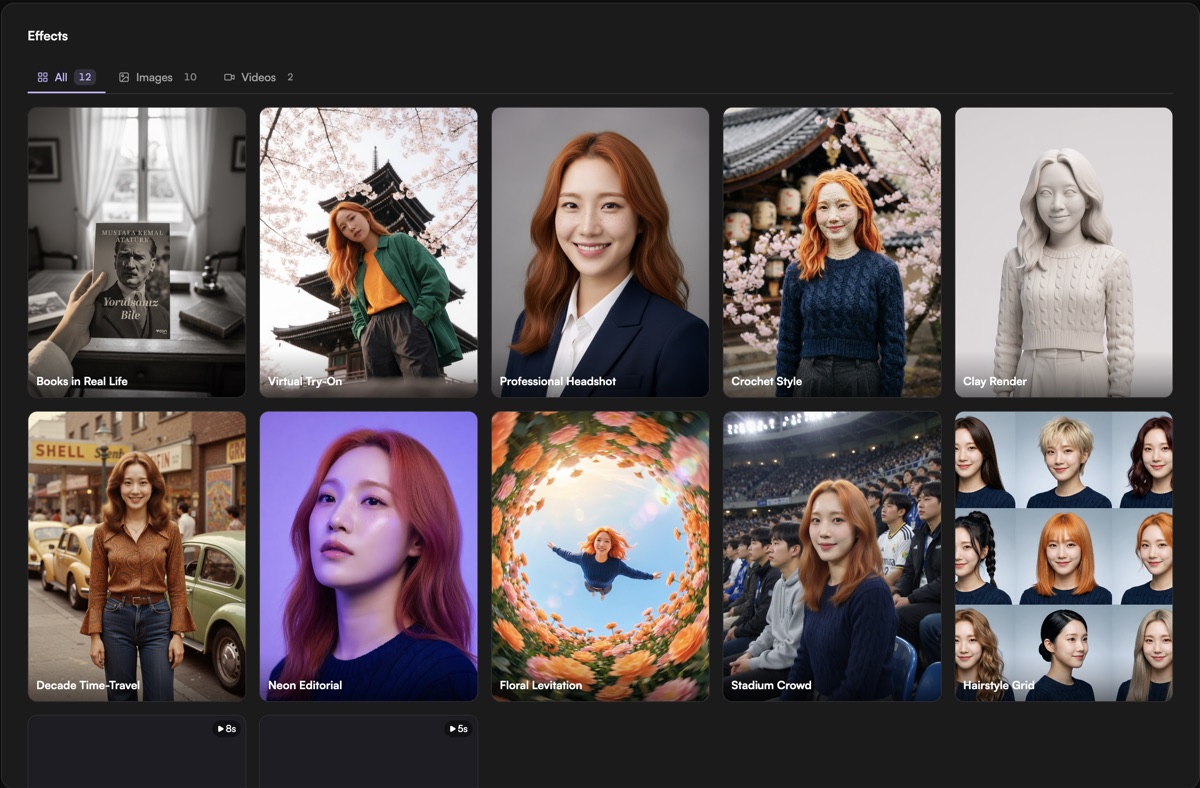
Effects — the one-tap transformations you can steer with your own reference image — outgrew its old flat grid. The catalogue now opens with an editorial hero that rotates through a featured look, and real search and filters so you can find the effect you want instead of scrolling for it. Hover-to-play previews are next, so you can see an effect's motion before spending credits on it.
Small details that add up
Not every improvement is a new feature — some are just the app feeling more considered:
- Theme switching crossfades instead of popping — a smooth transition instead of a jump cut.
- Your browser tab tells you when a generation is done — ⚡ while it's running, ✓ when it's ready — so you can tab away and come back at the right moment instead of babysitting the canvas.
- Press
?on the canvas for a keyboard-shortcut cheat sheet. - A sound toggle in Preferences, if you'd rather generate in silence.
Faster on mobile
A mobile pass also shipped this cycle: quicker load and interaction on phones, with the heaviest video decoding gated to desktop — where it's reliable — and a poster frame shown on mobile instead of a stall.
Try it
If Studio, Reel, or Storyboard are still new to you, the June rundown is the fastest primer. Otherwise, the biggest jump in quality this batch is worth trying first-hand: open MoodNode and generate with Sora 2 or Krea 2.
Questions or feedback? Reply to the email, or find me at @buraknevruzoglu — I read everything.
Frequently asked questions
What's new in MoodNode in July 2026?
Eight new AI models — including OpenAI's Sora 2 and Sora 2 Pro, Google's Gemini Omni Flash with native synced audio, and the from-scratch Krea 2 foundation model — plus a redesigned Effects catalogue with real search and filtering, and a round of interface polish: seamless theme switching, a live tab title that tells you when a generation finishes, a keyboard-shortcut cheat sheet, and a sound toggle.
What AI models were added to MoodNode this month?
Sora 2 and Sora 2 Pro (OpenAI video), Gemini Omni Flash (video with native synced audio), Krea 2 (a from-scratch photoreal foundation model), FLUX 2 Pro, GPT-5 Image, Kling 2.6 Pro, Luma Ray 3.2, Nano Banana 2 Lite (cheap fast reference edits), and Aleph 2.0 (prompt-driven video-to-video). All are live in the canvas and in Studio's model picker, with the exact credit cost shown before you generate.
What changed in the Effects catalogue?
The catalogue got an editorial redesign: a rotating featured hero instead of a flat grid, real search and filters so you can find a look instead of scrolling for it, and the groundwork for hover-to-play previews so you can see an effect's motion before you commit credits to it. You can still steer any effect with your own reference image.
Is MoodNode faster on mobile now?
Yes. A mobile pass shipped this cycle that speeds up load and interaction on phones, and gates the heaviest video decoding to desktop — where it's reliable — showing a poster frame on mobile instead of a stall.
Do the new models or interface changes cost extra?
No. Everything in this update — new models, the Effects redesign, interface polish — runs on the same plans as the rest of MoodNode. Start free with BYOK and pay providers directly, or use platform credits.